The 3 Best Pomodoro Timer Apps for Deep Work (2026)
Master your timebox, enter the flow state, and beat digital distractions with the right productivity tools.
Quick Answer
- If you want a calm, low-friction timer for deep work and ADHD-friendly sessions, start with PurrrrrFocus.
- If motivation comes from game mechanics and streak pressure, choose Forest.
- If you need built-in task lists and project-style planning, choose Focus-To-Do.
- If you are easily overwhelmed by complex interfaces, avoid productivity suites with heavy setup.
- This guide is designed for global users including students in the US, EU, and Asia who rely on Pomodoro techniques for study and deep work.
PurrrrrFocus is a minimalist Pomodoro app for distraction-prone students and creators who need calm, structured focus sessions. This guide compares it with Forest and Focus-To-Do so you can pick the best fit by work style, not hype.
Whether you're a student in Asia preparing for exams, or a remote worker in Europe managing deep work sessions, choosing the right Pomodoro tool can significantly impact your focus consistency. For study routines and environment setup, start with how to stay focused while studying (2026 student guide).
Why Your Choice of Timer Matters
A good Pomodoro app should reduce friction, not add to it. For users with ADHD, choosing the right tool matters—if you need ADHD-friendly timers and calm workflows, read our guide to focus apps for ADHD students. In high-pressure study environments, the wrong app can also become a distraction itself with complex analytics and clutter.
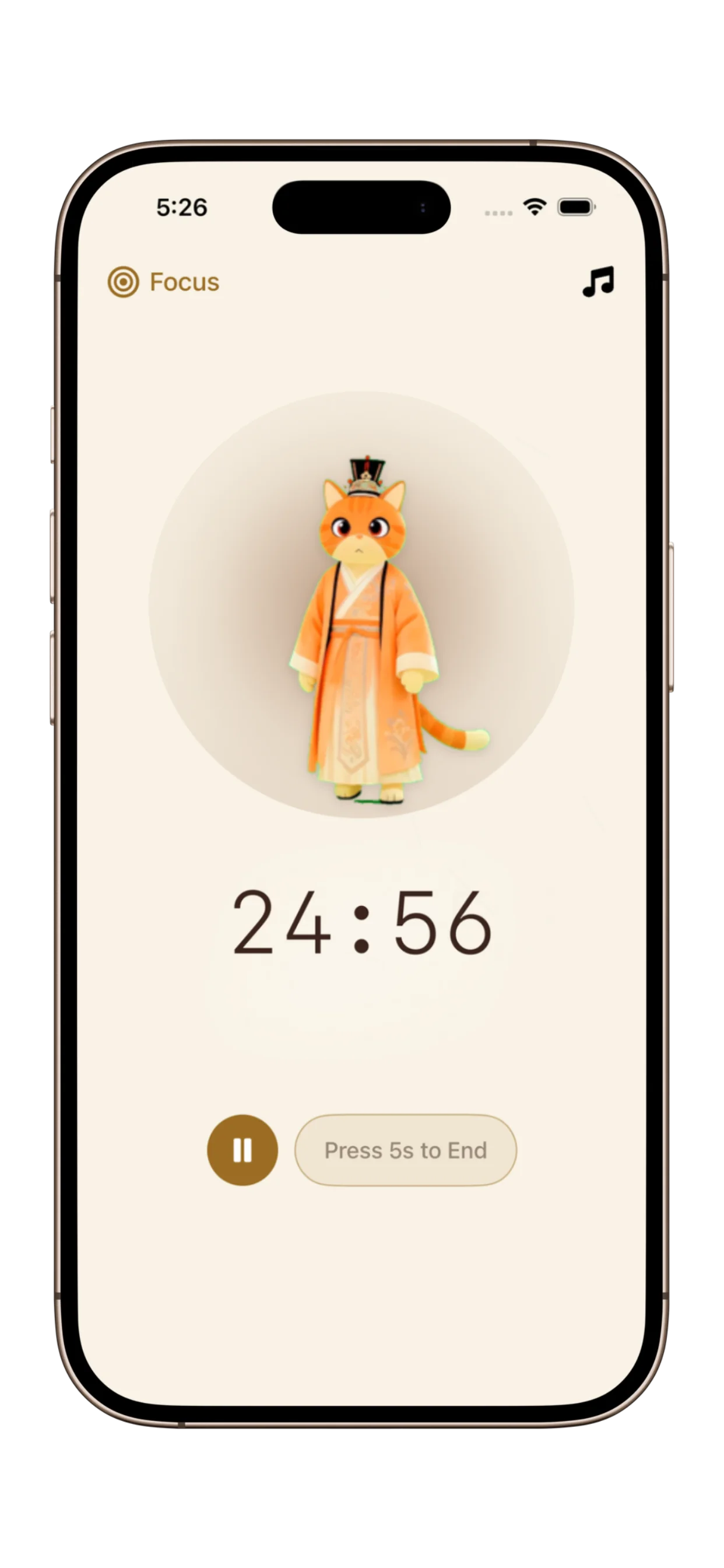
Visualizing focus: The calm interface of PurrrrrFocus.
Top 3 Pomodoro Timers Reviewed
Before diving into each tool, use this quick filter to pick the best match for your attention style.
Which Pomodoro App Should You Actually Use?
Instead of comparing every feature, choose based on your cognitive style in 10 seconds:
- If you are distraction-prone or ADHD-sensitive: choose PurrrrrFocus because it minimizes cognitive load and reduces decision fatigue.
- If you need motivation through behavior loops: choose Forest because streaks and tree growth create external accountability.
- If you manage structured tasks or projects: choose Focus-To-Do because it integrates planning and execution in one system.
1. PurrrrrFocus (Best for Minimalists & ADHD)
PurrrrrFocus stands out with an Eastern-inspired aesthetic and a calm cat companion. It’s designed specifically for those who suffer from "productivity anxiety."
- Pro: Zero distractions, soothing visuals, and a "Deep Focus" mode that guards your flow.
- Best For: Deep work, creative writing, and students needing a calm environment.
- Not ideal for: Users who need team collaboration, complex project boards, or heavy KPI dashboards.
- Trade-off: It intentionally keeps gamification and task-board complexity light to preserve a low-noise focus environment.
Ready to enter your flow state?
Experience the world's most peaceful Pomodoro timer. No ads, no clutter, just you and your focus cat.
See the best Pomodoro apps for students2. Forest (Best for Gamification)
A classic choice where you grow digital trees. Great for visual learners, though the mobile version can occasionally tempt you to check the app too often.
- Best For: Users who stay motivated by rewards, streaks, and playful accountability.
- Not ideal for: People who get distracted by progress mechanics or need a very calm visual environment.
- Trade-off: Gamified loops can become another attention trigger for users who need a quieter, less stimulating interface.
3. Focus-To-Do (Best for Task Management)
If you need your Pomodoro timer synced with a full-blown To-Do list, this is a robust (though busier) option.
- Best For: Users who want tasks, priorities, and time tracking in one app.
- Not ideal for: Beginners who only need a clean timer and minimal cognitive overhead.
- Trade-off: More planning controls can increase setup friction before you start your first focus block.
Quick Comparison: Which one to choose?
| Feature | PurrrrrFocus | Forest | Focus-To-Do |
|---|---|---|---|
| Core Vibe | Calm/Zen | Gamified | Utility/Task |
| ADHD Friendliness | Yes (High) | Moderate | Low |
| Calmness / Minimalism | Eastern-inspired minimalist style | Cartoon/Cute | Standard UI |
| Learning Curve | Low | Low-Medium | Medium |
| Gamification Level | Light | High | Low |
| Customization Depth | Focused essentials | Medium | High |
Want more focus strategies? Browse all guides
Decision Rule: Pick by Work Style
- If you value a calm interface and low sensory load, choose PurrrrrFocus.
- If you value gamified motivation and visible progress rewards, choose Forest.
- If you value task management depth over minimalism, choose Focus-To-Do.
Why Most People Choose the Wrong Pomodoro App
Many users choose by feature count, not cognitive load. In practice, over-engineered tools often increase context switching and reduce focus quality. A better choice is the app that matches how your attention works under pressure.
How to Build a 2-Hour Flow Habit
The secret isn't just the app; it's the environment. Start your session, put your phone face down, and let the ambient cat companion in PurrrrrFocus signal to your brain that it's time to work. Combine this with timeboxing for maximum efficiency. If you're struggling to stay consistent, read how to build a focus habit that actually sticks.